
Instagram DMs
Translate incoming Direct and floating messages without leaving the browser conversation.
SMDeck browser extension
Read Instagram messages, captions and comments in your language, right where the conversation happens.
Translate written text on Instagram Web beside the original. Choose the areas you want to translate and prepare replies in a contact's language.
Chrome Web Store listing pending. No third-party extension is linked here.
Real product views
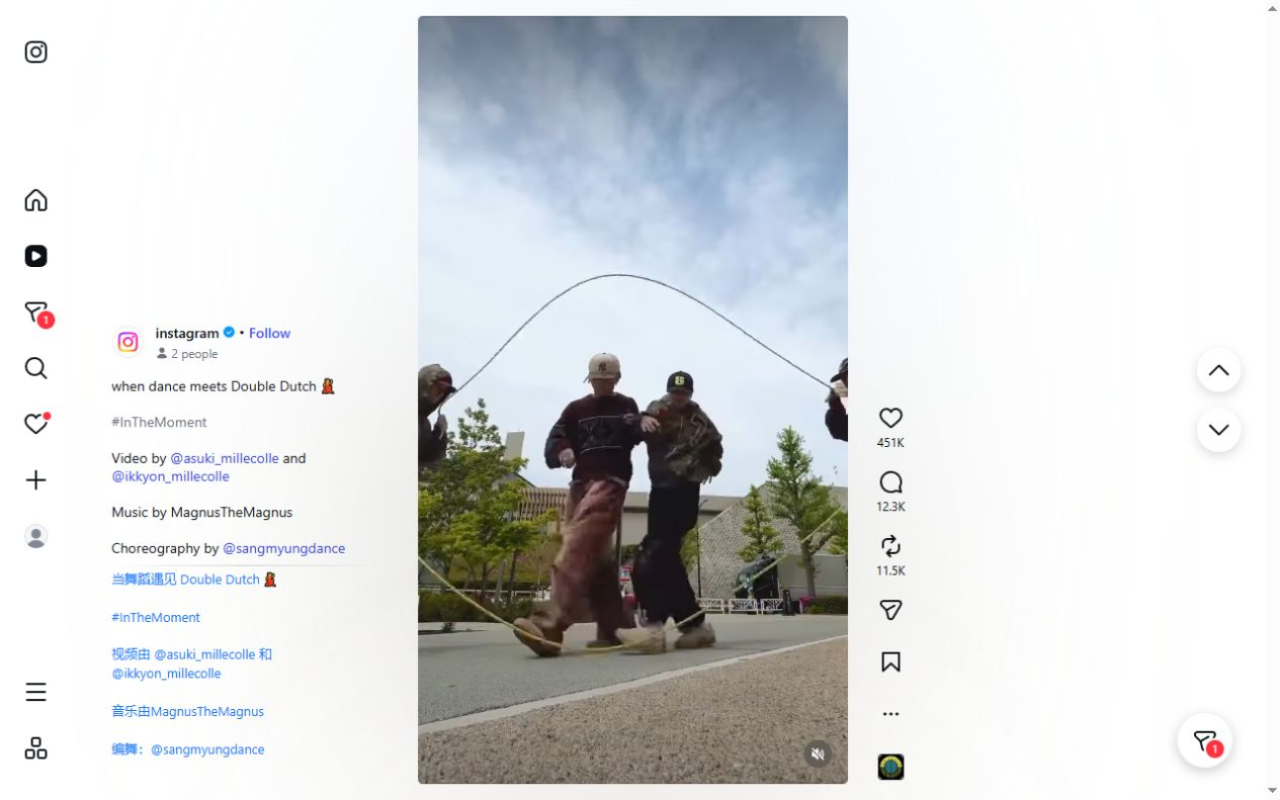
These screenshots show the extension running on Instagram Web with Simplified Chinese selected as the reading language.

Where it works
Choose your reading and contact languages in the popup, then control each supported area separately.
Translate incoming Direct and floating messages without leaving the browser conversation.
Read captions, comments and replies with translated text next to the original.
Follow written Reel captions and Explore details as you browse.
Understand profile descriptions in a chosen reading language.
Translate a message you compose for the contact language before it is sent.
Turn translation on or off for Direct, feed, posts, Reels, Explore and profiles separately.
Getting started
Install the SMDeck item when its Chrome Web Store listing is available, then open instagram.com in Chrome.
Choose your reading language and the language used for replies in the extension popup.
Read translated web text beside the original. Review the Send Immediately setting before translating an outgoing message.
The right tool for the text
Instagram may show its own translation control on some content. For an occasional post, use that when it appears. SMDeck is for reading and composing text on instagram.com in a desktop browser, with separate controls for the parts of the site you use.
It does not extract words from images, transcribe or dub Reel audio, translate a Live stream, or work inside the native Instagram mobile app.
Questions
Yes. SMDeck can translate incoming Direct messages and floating messages on instagram.com. It can also translate text you type for a reply.
No. This extension translates written text exposed in Instagram Web, such as Reel captions and comments. It does not transcribe speech, dub video or read text from images.
No. It is a desktop browser extension for instagram.com, not an iOS or Android app.
The Send Immediately setting is on by default in the current extension build. Turn it off in the popup if you want to review translated text before sending.
Translation requests go from your browser to Google Translate over HTTPS. If Google fails, the same text may be sent to MyMemory. Successful translations and settings can remain in local browser storage. Read the product privacy policy for details.
Not yet. The SMDeck Chrome Web Store listing has not been confirmed for this page. Request the link and check back when the listing is public.
SMDeck Instagram Translator
The SMDeck listing is not public yet. Ask us for the verified link when it becomes available.